
 Cartoon from your photosYour story, starring you
 Personal song giftAbout your person, with their name
 Telegram stickersYour family as a sticker pack
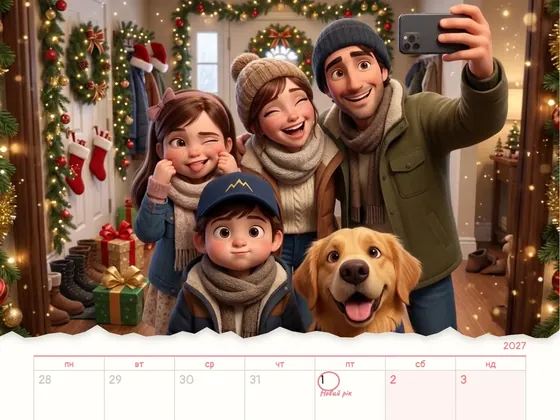 Calendar 202712 scenes of the year starring you
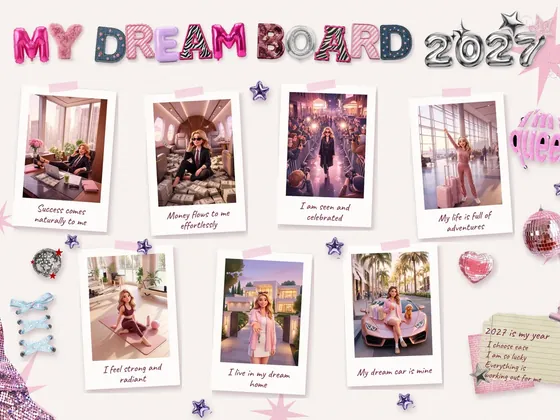 Vision board 2027A moodboard and video with you
A UGC video is a clip in the style of everyday user content: someone films themselves on their phone and shows a product as if sharing a find with friends. The format helps brands because it feels native in the feed and doesn't read as an ad from the first frame. AI video generation lets you make these clips without recruiting creators or running shoots: product in hand, in any location, and in several variants for testing. Below: how it works, practical rules, and what to avoid.
The short answer: what UGC is and why brands need it
UGC (user-generated content) is content made by users: reviews, unboxings, «what's in my bag», morning routines. Brands have borrowed this aesthetic for ads for years because it speaks the platform's language: vertical video, natural speech, a phone camera, close framing.
For brand awareness, UGC is useful for a simple reason: people watch it. A clip that looks like a regular post doesn't trigger the «keep scrolling» reflex, so the product and the brand name have time to stick. The more often your audience sees the product in a real-life context, the sooner the brand starts to feel familiar.

Why UGC works on Reels, TikTok and Shorts
Short-form video feeds are largely built on recommendations: the platform shows a clip to people who don't follow the creator if viewers keep watching instead of swiping. So for reach, holding attention from the first seconds matters more than the production budget.
UGC holds attention because the promise of value or emotion comes from a person, not a brand: «I tried it», «here's what changed», «what I never leave the house without». A polished commercial may look better, but it risks being swiped the moment viewers recognize it as an ad.
Scale is another plus. A brand rarely needs just one video: it needs series, seasonal versions, variants for different audiences. The UGC look scales easily precisely because it doesn't need elaborate sets.
How AI helps you make UGC videos
Traditional UGC means recruiting creators, shipping product, waiting and chasing revisions. Video generation removes most of that logistics, as long as it is done with control. Since 2024 Milodia has made 340+ AI films, and for UGC the essentials are the same as for a big commercial: a consistent character and a product that doesn't change from shot to shot.
1Product in hand
The character holds your tube, jar or box, opens it, applies it, shows it to the camera. The product is recreated from photos and stays recognizable: shape, color, packaging. Small print on the label should be checked separately - it is the weakest spot in generation.
2Any location
A kitchen, a city balcony, a gym, an office, a winter beach - no travel, no rentals, no weather risk. The location is matched to the audience: a product for students and a product for new moms live in very different homes.
3Multiple language versions
The same clip with voice-over and subtitles in Ukrainian, English and other languages - for different markets without new shoots.
4Opening variants for A/B tests
One video, several different openings: a question, a before-and-after result, an unexpected action with the product. Run several variants in your ads and keep the one that holds attention best.
5A format for every platform
A 9:16 master for Reels, TikTok and Shorts, plus 1:1 for the feed and 16:9 for YouTube or your website - all from one project. UGC for social is one of the Milodia Studio formats. See examples
Practical rules: how to make UGC people watch to the end

6A hook in the first 2 seconds
The first frame has to stop the thumb: a question that hits your audience's pain point, a finished result, an unusual angle or an action with the product. A logo or «hi, today I'm going to tell you» is not a hook.
7People who look real
Ordinary looks, natural light, a bit of everyday mess in the frame. Flawless skin and studio lighting give the ad away, and in AI video they also make it look artificial.
8Vertical 9:16
Generate for vertical from the start instead of cropping a horizontal video. Keep the important things in the center: the platform's interface covers part of the frame at the top and bottom.
9Subtitles
Many people scroll with the sound off, so key lines need to be on screen as text. Large type, short phrases, inside the safe zone.
10One idea per video
One problem, one product, one takeaway. If you want to cover several benefits, that is several videos, not one.
11Product in action
Show it being used, not just held. Cream texture on fingertips, steam over a cup, the sound of packaging opening are more convincing than a list of features.
What to avoid
12Passing off an AI character as a real customer
Don't label a generated person as a real buyer or put a «review» in their mouth. It misleads viewers, and in many countries it conflicts with advertising rules on reviews and testimonials. The honest format: the character shows the product rather than vouching for an experience that never happened.
13Promises the product can't keep
A before-and-after effect has to match reality. A generated image must not show a result the product doesn't actually deliver.
14Ignoring labeling rules
Major platforms have rules for labeling realistic AI content. Check the current requirements of each platform before publishing so your video doesn't get restricted.
15A «plastic» look
Overly smooth faces, unnatural hands and objects that change shape are signs of generation without control. Regenerate those shots rather than ship them.
16One video for the whole campaign
UGC pays off in series and tests. Plan several hooks and variants from the start, not one «perfect» video.
Frequently asked questions
How is AI UGC different from working with influencers?
An influencer brings their own audience and a personal recommendation - that is a separate tool. AI UGC gives you controlled content for ads and your brand's own accounts: no creator search, no product shipping and no dependence on someone else's schedule. Many brands use both.
Will people be able to tell the video is generated?
It depends on the level of control. Generation gives itself away through a product that «melts» in someone's hands, a face that changes between scenes, and unnatural movement. When style frames are approved in advance and weak takes are discarded, the clip looks like an ordinary phone video. Either way, follow each platform's rules on labeling AI content.
What does a brand need to provide to get started?
Photos of the product from several angles, a description of the audience, key messages and the platforms where the video will run. Brand guidelines help too, if you have them. The studio proposes the script, characters and locations, and you approve them before generation.
How much does an AI UGC video cost?
It depends on the number of videos, hook variants, language versions and formats. At Milodia Studio we send a concept, plan and estimate after the brief, so you see the cost before work starts.
How many hook variants should we test?
Several that are fundamentally different, not cosmetic tweaks of one. A question, a finished result and an unexpected action are different hypotheses. Two versions of the same question in different fonts are not.